

TradeFinder Module
Options Opportunities, Found for You
Options strategy scans, bullish and bearish trend scans, stagnant market scans, and more. Real-time qualifying trades. One click to trade. Scan Look Back across 10+ years of history. Partner-curated defaults. Stop searching for what to trade — let the platform surface real opportunities in seconds.
TradeFinder Module
Interactive Guide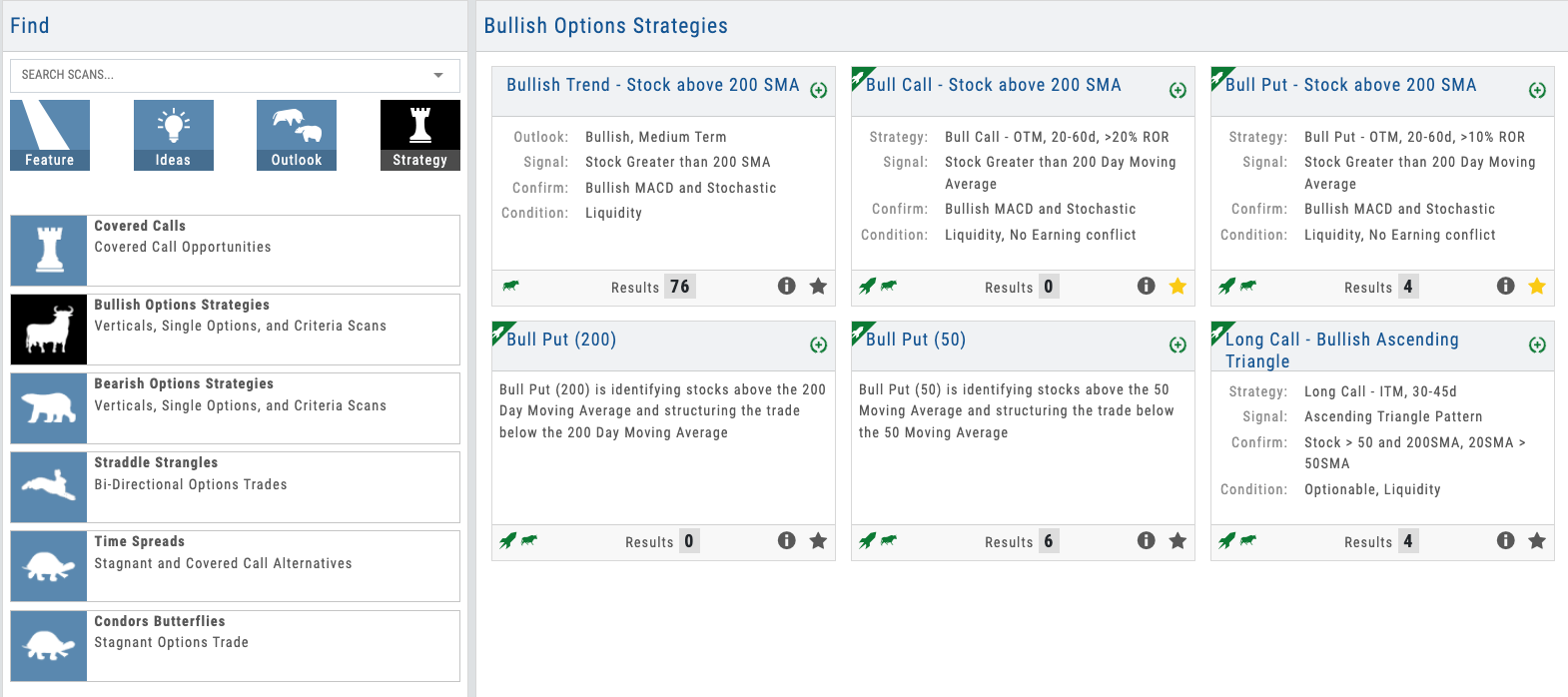
Click the hotspots to explore TradeFinder features
01 — Pre-Built Strategy Scans
Strategies Organized, Trades Ready
Options strategy scans like Bull Call, Iron Condor, and Covered Call — plus directional scans for bullish trending, bearish trending, and stagnant markets. Each shows qualifying trades in real time.
The scan library eliminates the biggest pain point in trading education: “What should I trade?” Pre-built scans cover options strategies (Bull Call, Iron Condor, Covered Call, and more), directional plays (bullish trending, bearish trending), and market conditions (stagnant, high volatility). Each scan displays the count of real-time qualifying trades.
For educators, this is the bridge between teaching a strategy and trading it. You explain a Bull Call Spread in class. Students open the scan, see 23 qualifying trades right now, click one, and execute. And with Scan Look Back, you can set any scan to any date in the past — over a decade of history — and see exactly what it would have surfaced. It’s a confidence builder: students and partners can verify the scans work before committing real capital.
- Options strategy scans — Bull Call, Iron Condor, Covered Call, Straddle, and more
- Directional scans — bullish trending, bearish trending, stagnant markets
- Real-time count of qualifying trades per scan
- Scan Look Back — set any scan to any past date across 10+ years of history
- Partners can add custom scans designed for their specific strategies
Scan list showing Bull Call Spreads, Iron Condors, and other strategies with live result counts
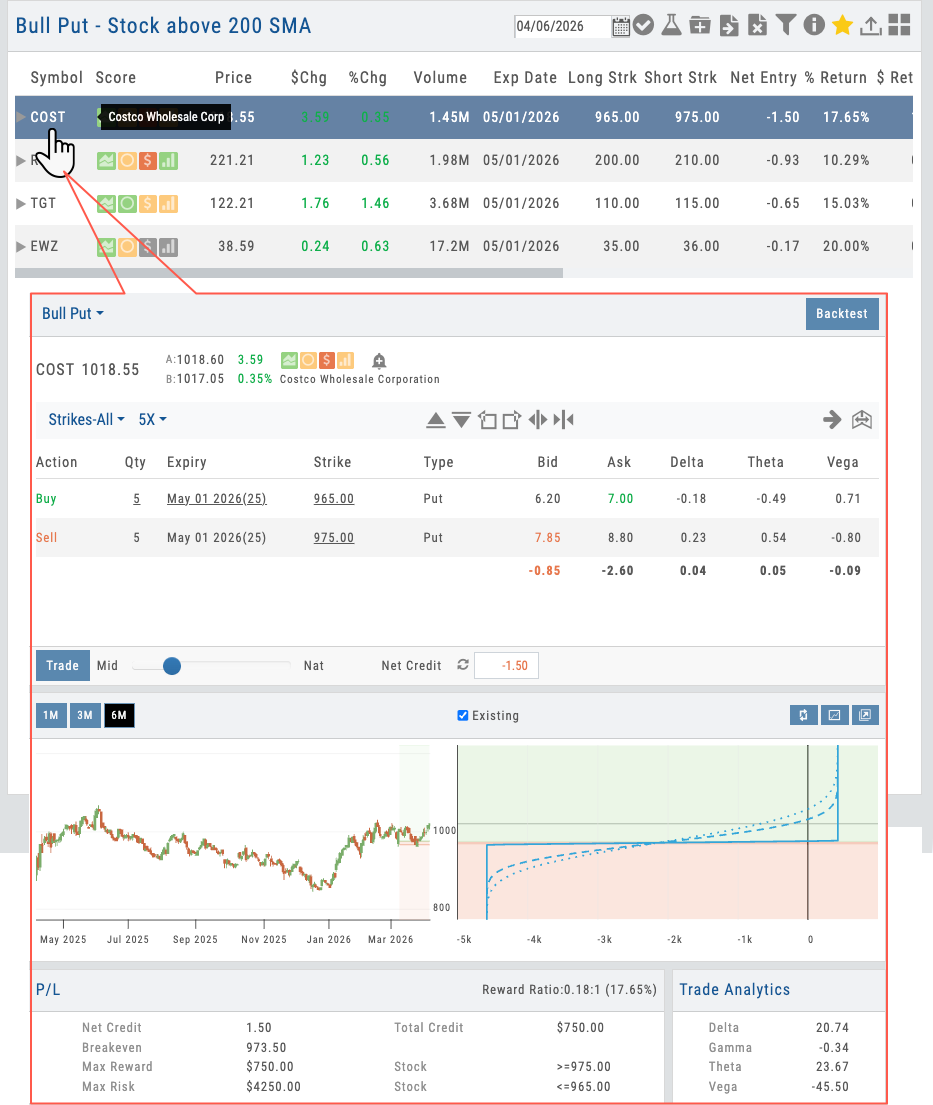
Found trade in TradeFinder opens in Options Analytics with strategy pre-loaded
02 — Scan to Trade Flow
One Click Opens in Analytics
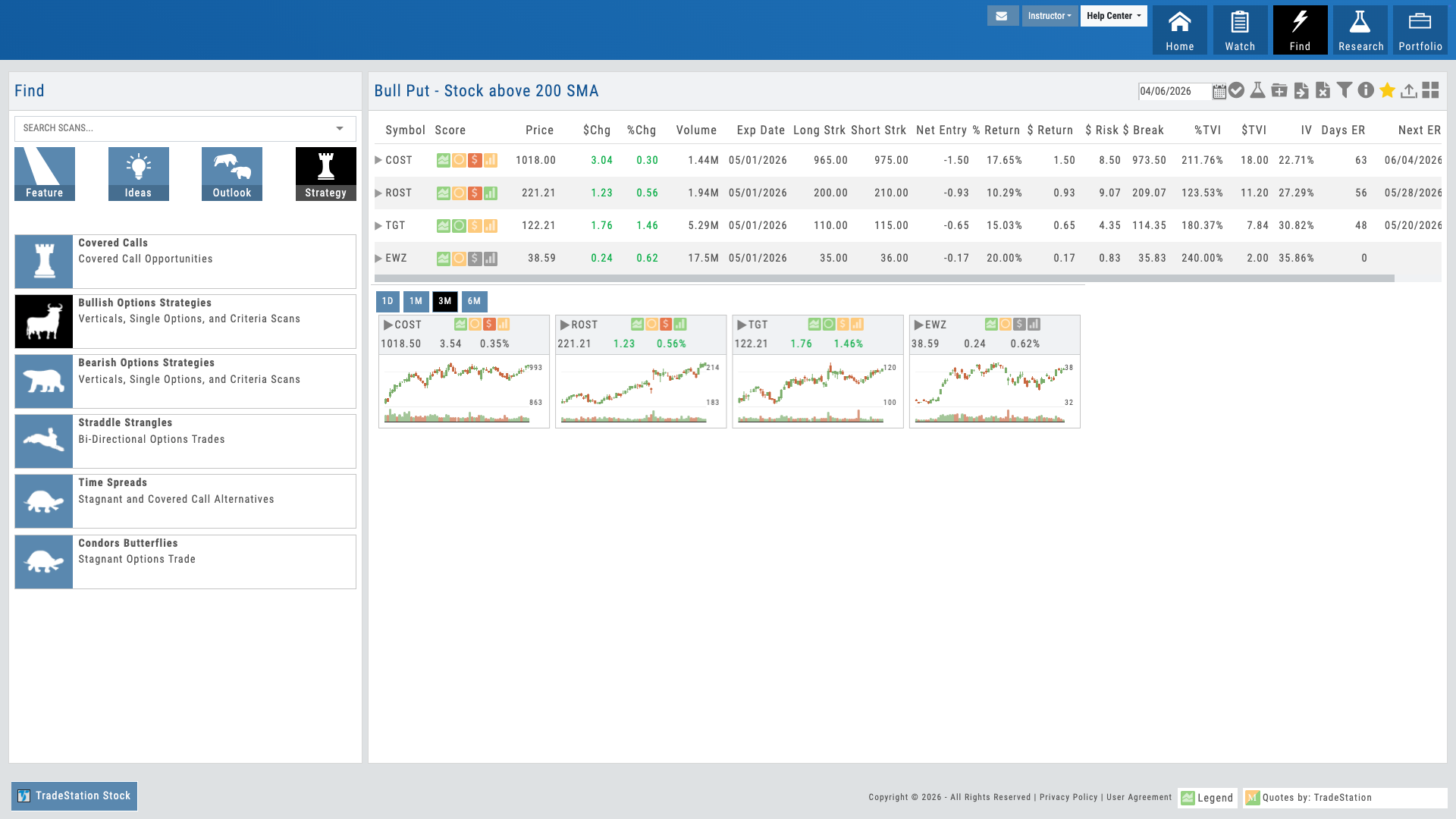
Find a trade in TradeFinder. One click opens it in Options Analytics with the strategy pre-loaded and guardrails active.
The real magic happens in the handoff. A student finds a Bull Call Spread candidate in TradeFinder. One click opens it in Options Analytics with the Bull Call Spread structure already built. Guardrails remain active — they can’t accidentally break the strategy structure, even when building from a scan. They adjust the width, refine the strike selection, check the risk, and execute.
This workflow continuity proves that discovery and execution are deeply integrated. Students learn by finding real trades under real market conditions, not in a vacuum.
- Click a scan result to open in Options Analytics
- Strategy structure pre-loaded and ready for adjustment
- Guardrails remain active for safe trade building
- Single workflow from discovery through execution
03 — Partner-Curated Defaults
You Control the Scans They See
Use your Admin Account to set which scans appear by default. Your students start with a curated, guided discovery experience.
This is the B2B money shot. Partners use the Admin Account to designate their favorite scans — the strategies they teach most, the ones most relevant to their students. When a new student logs in, they see your curated scan list first. It’s guided discovery under your brand.
You’re not just offering a tool — you’re offering an onboarding experience. Your students get a hand-picked entry point into options trading, not a bewildering wall of 50 choices. That curation is a teaching statement that deepens student trust and dramatically accelerates their time to first trade.
- Admin Account controls default scan visibility
- Mark your preferred scans to appear first
- Students still see all available scans — your defaults are just highlighted
- Updates push instantly to all your users
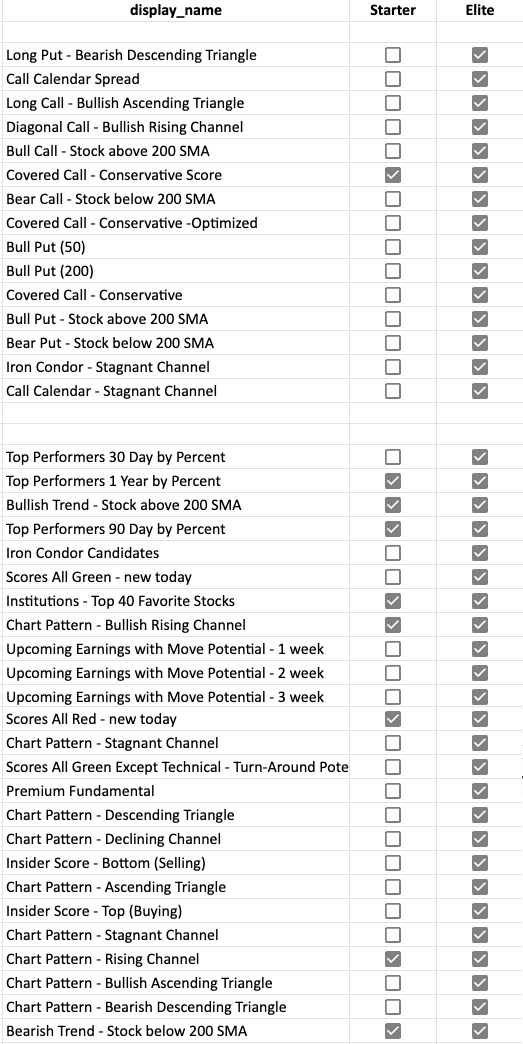
Admin Account interface showing scan selection and ordering controls
Want Your Students to Find Options Trades in Seconds?
Pre-built scans, real-time results, and your curated defaults — deployed as part of your branded platform.
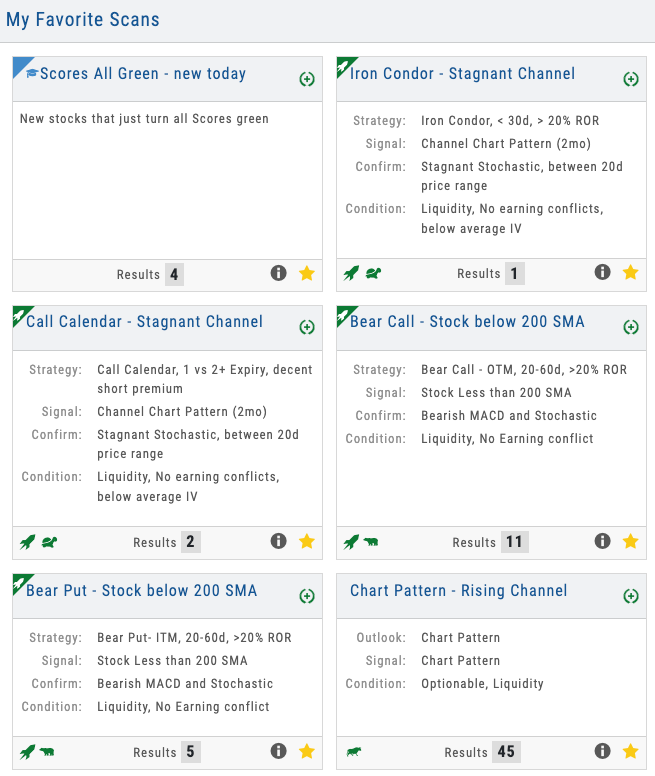
Dashboard showing 6+ scans running simultaneously with different result counts and market indicators
04 — Multiple Strategies at a Glance
Breadth in One View
See 6+ different scan types running simultaneously — different result counts show where opportunities are strongest right now.
The scan dashboard shows all scans running in parallel. Bull Call Spreads show 12 qualifying trades. Iron Condors show 8. Bullish trending shows 47. That variation communicates important information: market conditions favor some strategies right now over others. It also teaches diversification — when options scans are quiet, directional scans may be generating signals.
Students can refine filters on any scan — tighten or loosen the criteria, adjust time to expiration, change probability thresholds. And Scan Look Back lets them verify any scan against historical conditions: set it to March 2020, October 2022, or any date across 10+ years and see what it would have returned. It builds confidence in the scans and turns historical markets into a teaching lab.
- All scans run in parallel — options strategies, directional, and market condition scans
- Different result counts show where market conditions favor certain approaches
- Refinement filters available on each scan
- Scan Look Back — verify any scan against 10+ years of historical markets
Options Guided Discovery Under Your Brand
Options strategy scans, directional scans, Scan Look Back across 10+ years, real-time results, one-click execution, and your curated defaults — all deployed as part of your branded trading platform. Your students get the easy button for trade discovery. You get the tool that proves you understand their biggest pain point.
A Video Built for Your Business
Not ready for a call? Tell us about your business and we’ll record a video of the platform built around it — your audience, your asset classes, the tools your members would actually use. No generic demo.
Ask a question
Ask anything about the platform, the partner model, or how a deployment works. A real person answers — no bot, no drip sequence.
Connects to leading brokerages including Schwab, Tradier, and more. See all supported brokers →