

Sharing Module
Trade Sharing, Staging & Publishing.Every Trade Call, Delivered Inside Your Platform.
Five ways to put trades in front of your members — friend to friend, instructor to class, student to coach, public profiles, and paid subscription accounts. Every trade a publisher places is shared the instant it fills, lands on followers’ charts and in their staging area, and can push to their phones. You decide which modes exist. Your users decide what they share.
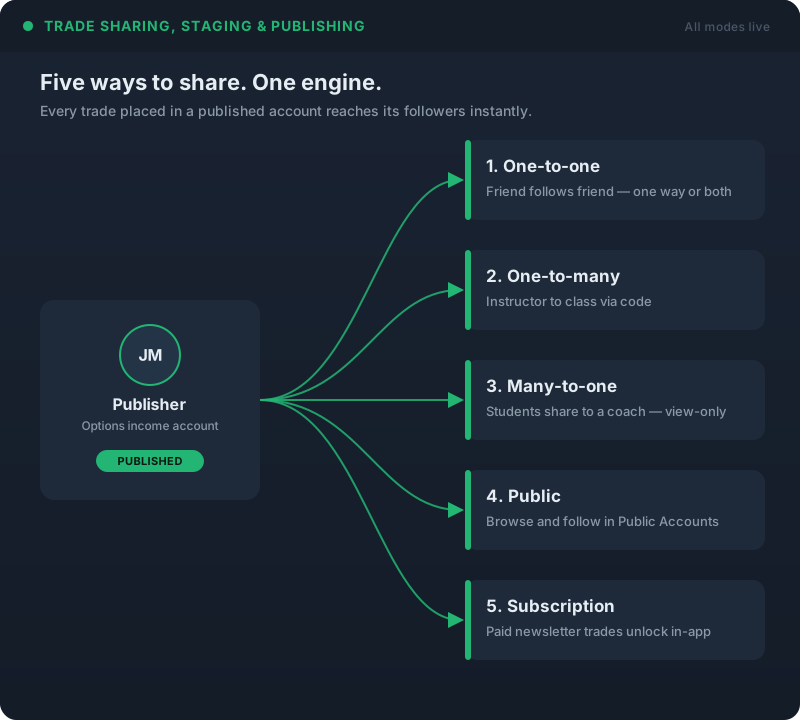
Five Sharing Modes. One System.
The same engine handles a friend following a friend and a paid newsletter with thousands of subscribers. Enable the modes that fit your business; leave the rest off.
Publish Once. It Arrives Everywhere.
There is no publish button. When a publisher places a trade in a published account it is shared the instant it fills. Followers see it as dotted lines on their own charts, as a fully built order in their Staged Trades, and — if they’ve opted in — as a push notification on every device they’re signed into. The follower reviews the trade and places it themselves, in their own broker account. iVest+ never executes on anyone’s behalf.
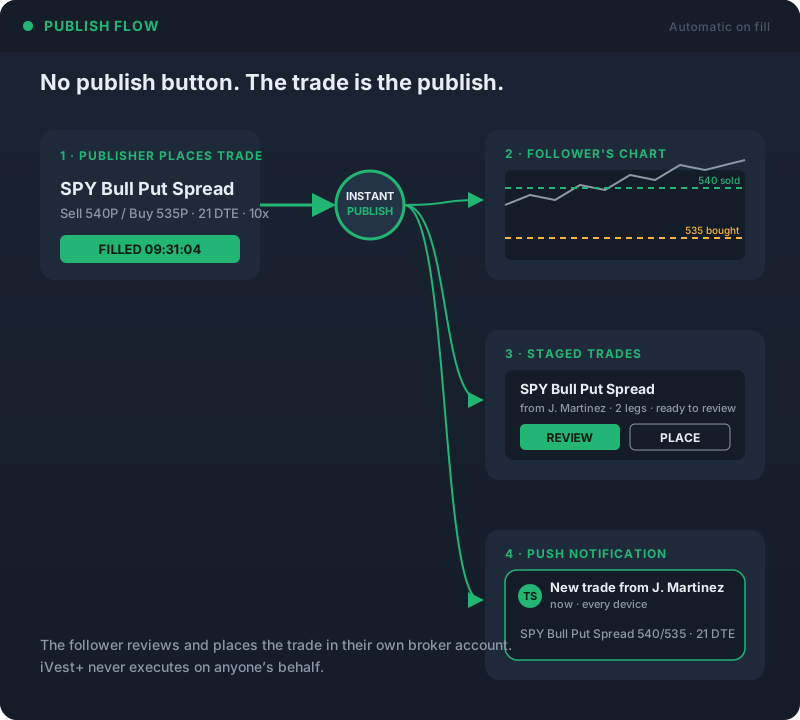

Trade Staging: From Your Screen to Their Order Ticket
Staging delivers the complete order — every leg of a multi-leg options strategy, strikes, expirations, quantities — to the follower’s Brokerage menu as a ready-to-review order. It works across brokers; publisher and follower don’t need accounts at the same firm. Two clicks to review and place. Staging is enabled at the product level by you and at the account level by each publisher, so it’s only ever on where you want it.
Publishers Stay in Control
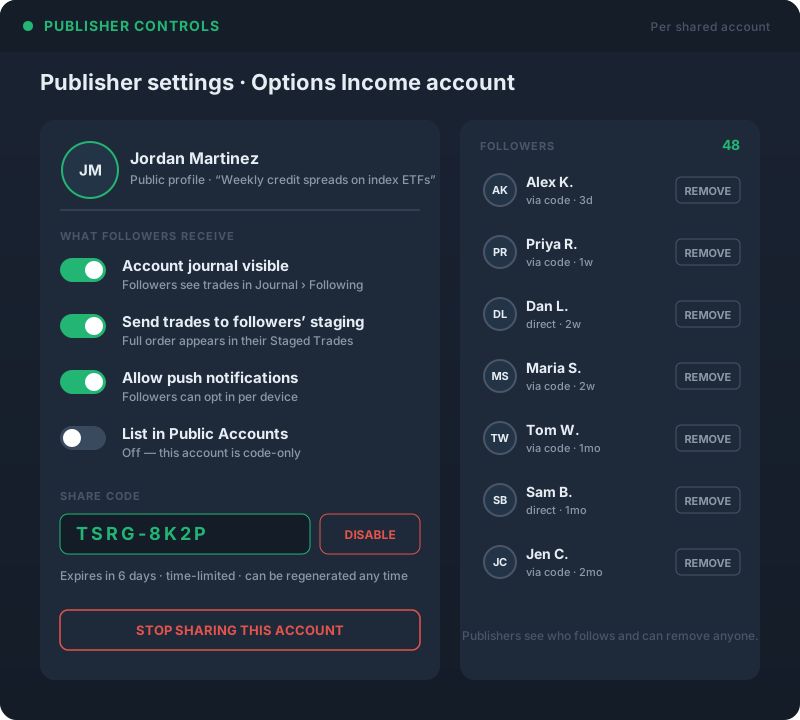
Every shared account carries a public profile the publisher writes — who they are, what kind of trading the account does, whatever they choose to say about it. Per account, the publisher decides whether followers can see the journal, whether trades land in staging, whether push is allowed, and whether the account appears in Public Accounts. Sharing codes can be time-limited and disabled at any time. Publishers see who is following, can remove anyone, and can stop sharing with one click.
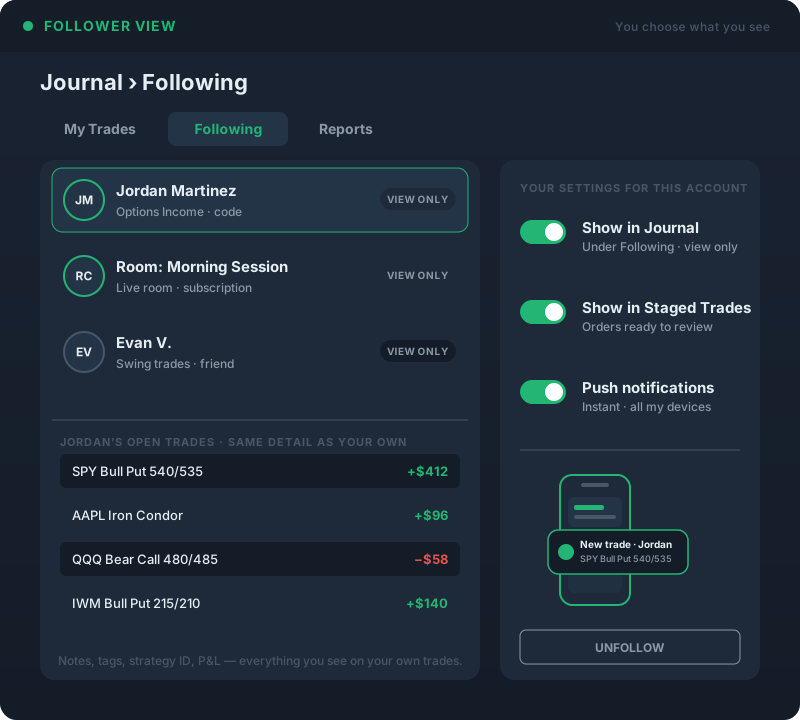
Followers Choose How They See It
Followers decide whether a shared portfolio shows in their Journal under Following — the same analysis they get on their own trades, view-only — whether its trades show in Staged Trades, and whether they get a push the moment a trade is published. Each setting is per followed account. Nothing is forced on anyone, and a follower can unfollow at any time.
Live Trading Rooms: Nobody Misses a Trade
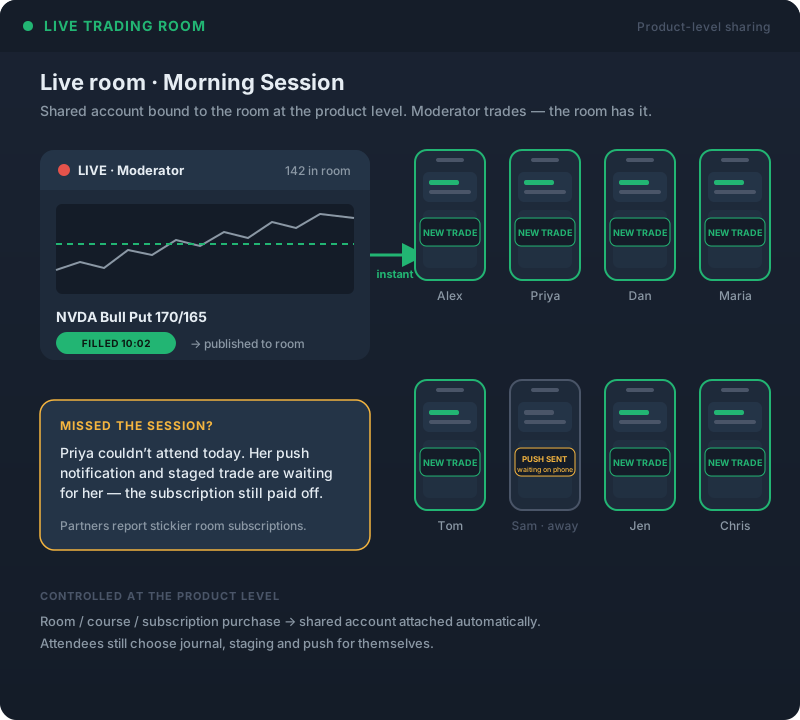
Tie a shared account to a room, course, or subscription at the product level. When the moderator places a trade, everyone in the room has it immediately — on their chart, in staging, on their phone. Attendees who can’t make a session still get every trade, so the value of the subscription doesn’t depend on being online at 9:30. Partners running rooms this way see stickier room subscriptions.
Three Levels of Permission
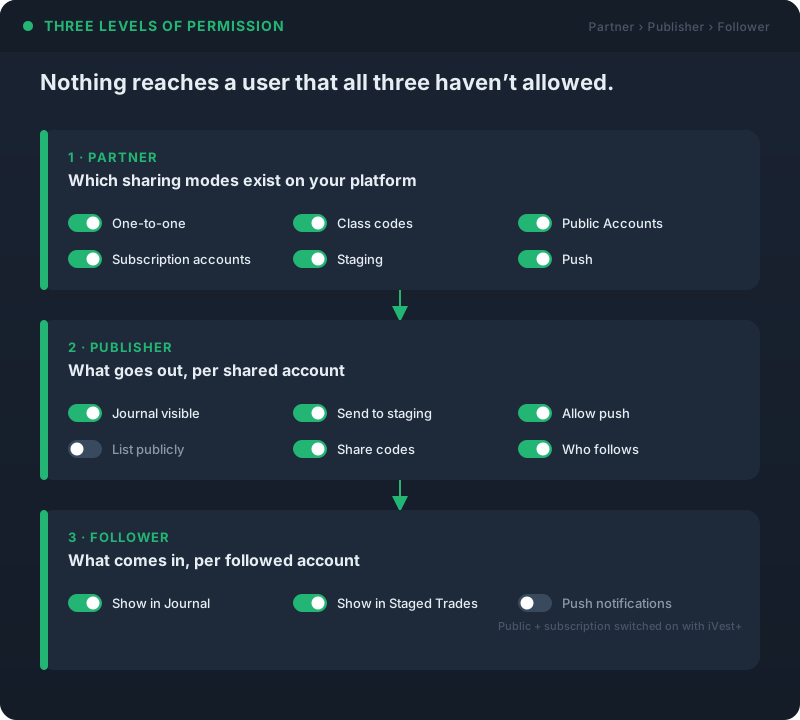
You control which sharing modes exist on your platform — one-to-one, class codes, public accounts, subscription accounts, staging, push. Publishers control what they put out per account — journal visibility, staging, push, public listing, who follows. Followers control what they take in — show in Journal, show in Staged Trades, push on or off. Nothing reaches a user that all three haven’t allowed. Public and subscription accounts are switched on with us; once enabled, you choose which staff or members can publish.
Ready to Put Your Trades in Front of Your Members?
Trade sharing, staging and paid subscription accounts — deployed as part of your branded trading platform. Your instructors publish, your members follow and place — all under your name.
A Video Built for Your Business
Not ready for a call? Tell us about your business and we’ll record a video of the platform built around it — your audience, your asset classes, the tools your members would actually use. No generic demo.
Ask a question
Ask anything about the platform, the partner model, or how a deployment works. A real person answers — no bot, no drip sequence.